01Level 1
Storekeeper
Raises it at their own location.
- Raises requests
- Records what is received
- Does transfers
New requestTheir location only
Raised byStorekeeper
NextManager approval



 4.9/5.0from top inventory companies
InVen3 brings stock, expiry, approvals and invoices into one place, so every person on your team sees what matters to them.
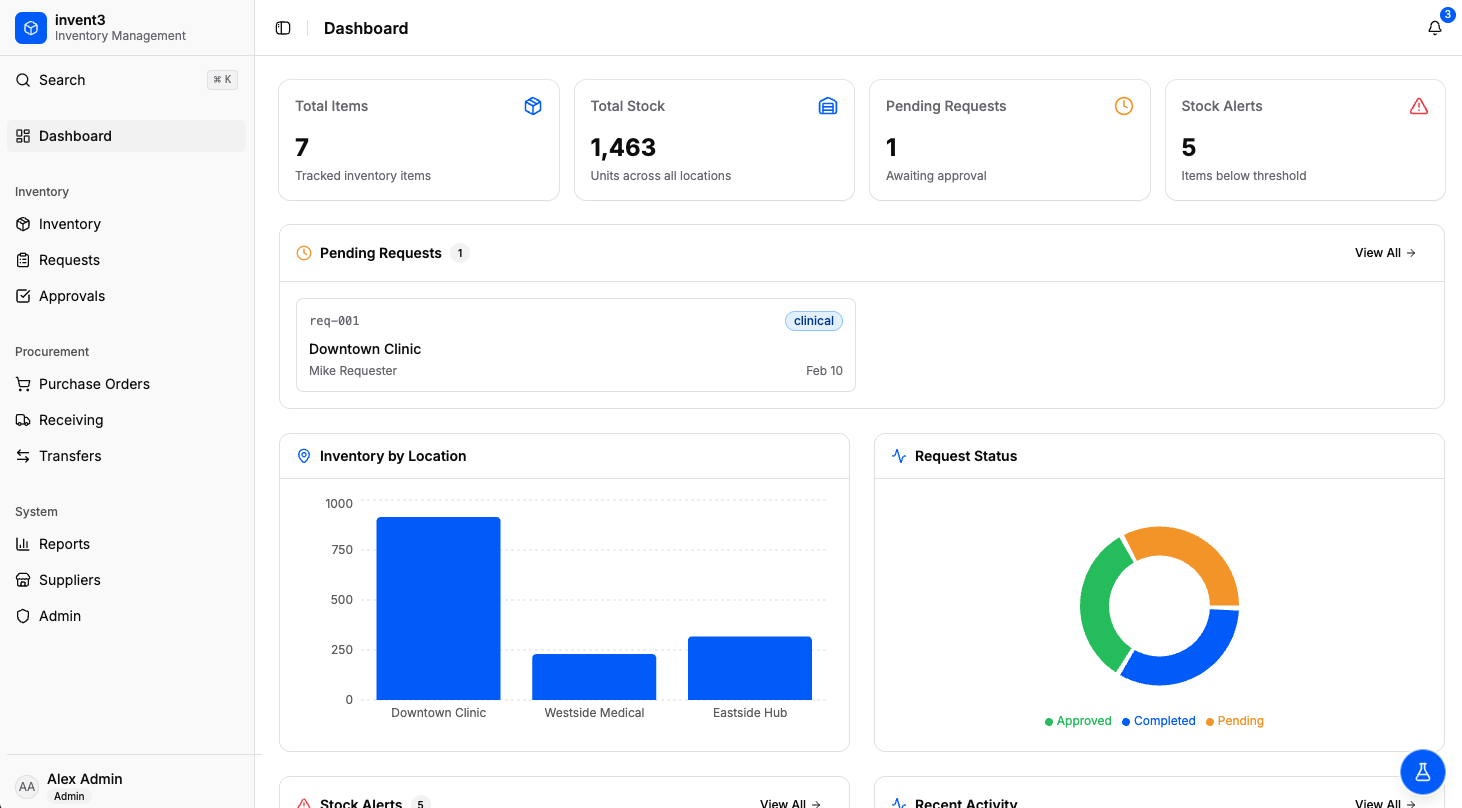
Which location has the stock right now? What's about to expire? And who approved that order?
In most businesses that handle inventory, the answers are scattered across spreadsheets, emails, and paper forms. InVen3 puts them all in one place.
The same supplies, locations and approvals, finally in one system.
Information lives in too many places.
One system, a view for each person.
No single view of which location holds what
Every supply at every location in one view
Expiry dates tracked by hand
What's about to expire, surfaced soonest first
Approvals buried in email threads
Every order approved and recorded
Invoices paid without checking what arrived
Every invoice checked against the order and delivery
Same supplies, same locations, same approvals. Finally in one place, with a view built for each person.
See the platformIf you keep supplies in more than one place and need to know who ordered, approved and received them, InVen3 fits.
Medicines, vaccines and supplies, with expiry dates front and center.
Batches, expiry and reorders across every branch.
Stock moving between bins, sites and carriers, always accounted for.
Every store and stockroom on one view, so you reorder before the shelf is empty.
Perishables, batch dates and deliveries checked in at the door.
Raw materials and parts, with orders approved before they go out.
Materials and tools across sites, with deliveries checked against orders.
Kitchens, bars and housekeeping stores for every property.
Don't see your industry? InVen3 works for any inventory business, whatever you stock.
Explore all industries
Four connected parts that replace the spreadsheets, emails and paper forms.
Know what you have, where it is, and what needs attention, without opening a single spreadsheet.
About inventoryRequests move through manager and director approval. Nothing is executed until the director signs off.
About approvalsEach invoice is checked against the purchase order and the delivery before it can be paid.
About invoicesUsage and spend are tracked as you work, so decisions do not wait for a month-end report.
About reportsNot everyone can do everything. Each role has its own access and its own say in an order.
Raises it at their own location.
Sees every location and approves first.
Gives the final approval.
Pays only what was received.
Every step is recorded, so nothing depends on someone's inbox.
A storekeeper asks for supplies for their location.
The delivery is recorded against the order.
The operations manager reviews and approves. The order still can't be sent.
The invoice is checked against the order and the delivery. Match, and it's ready to pay.
The director gives the final approval. Only then can the order go to the supplier.
Each person signs in to a view built for their job. Pick a role to see what it includes.
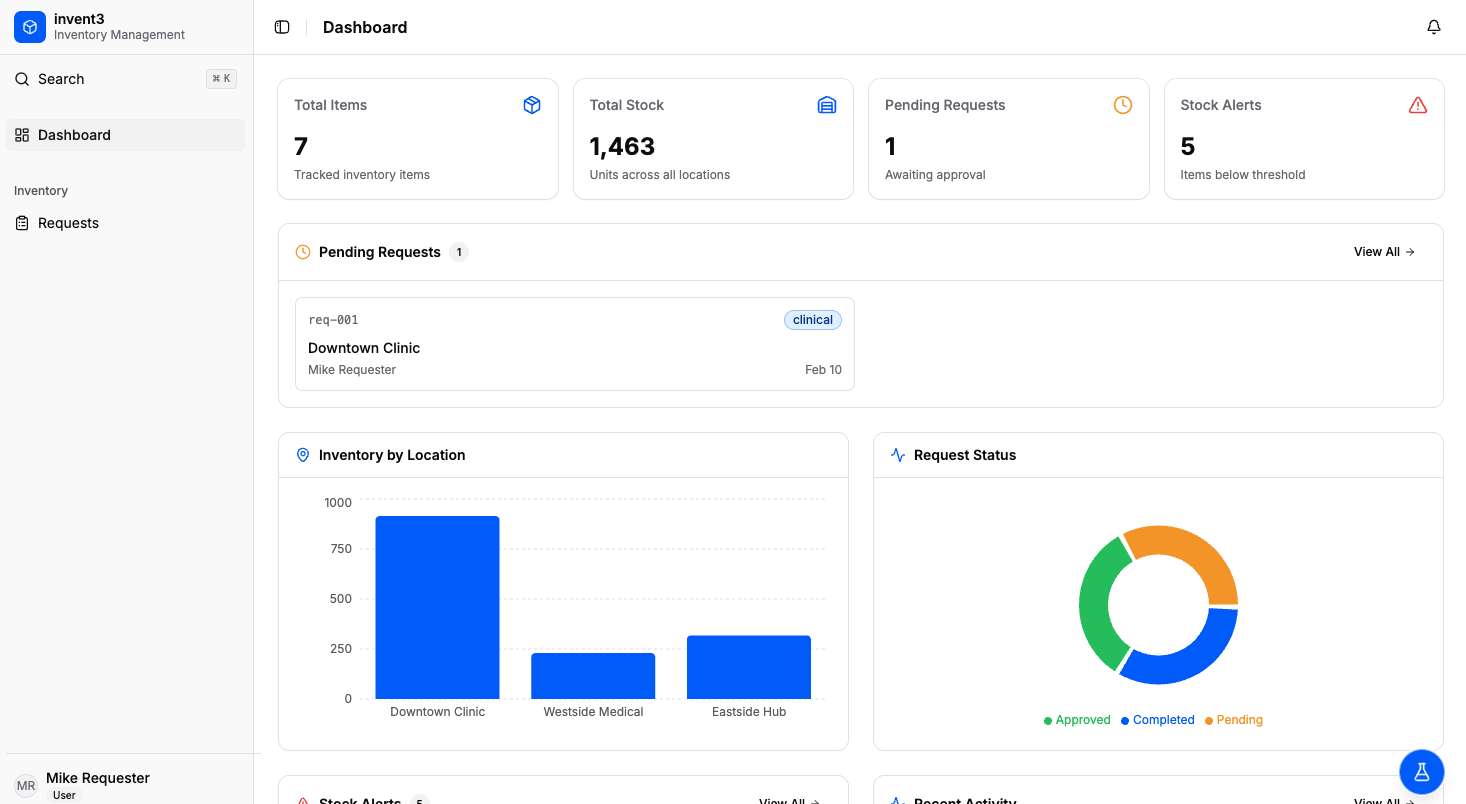
Sees only their own location, with the most urgent items first, so there's nothing else to sort through.
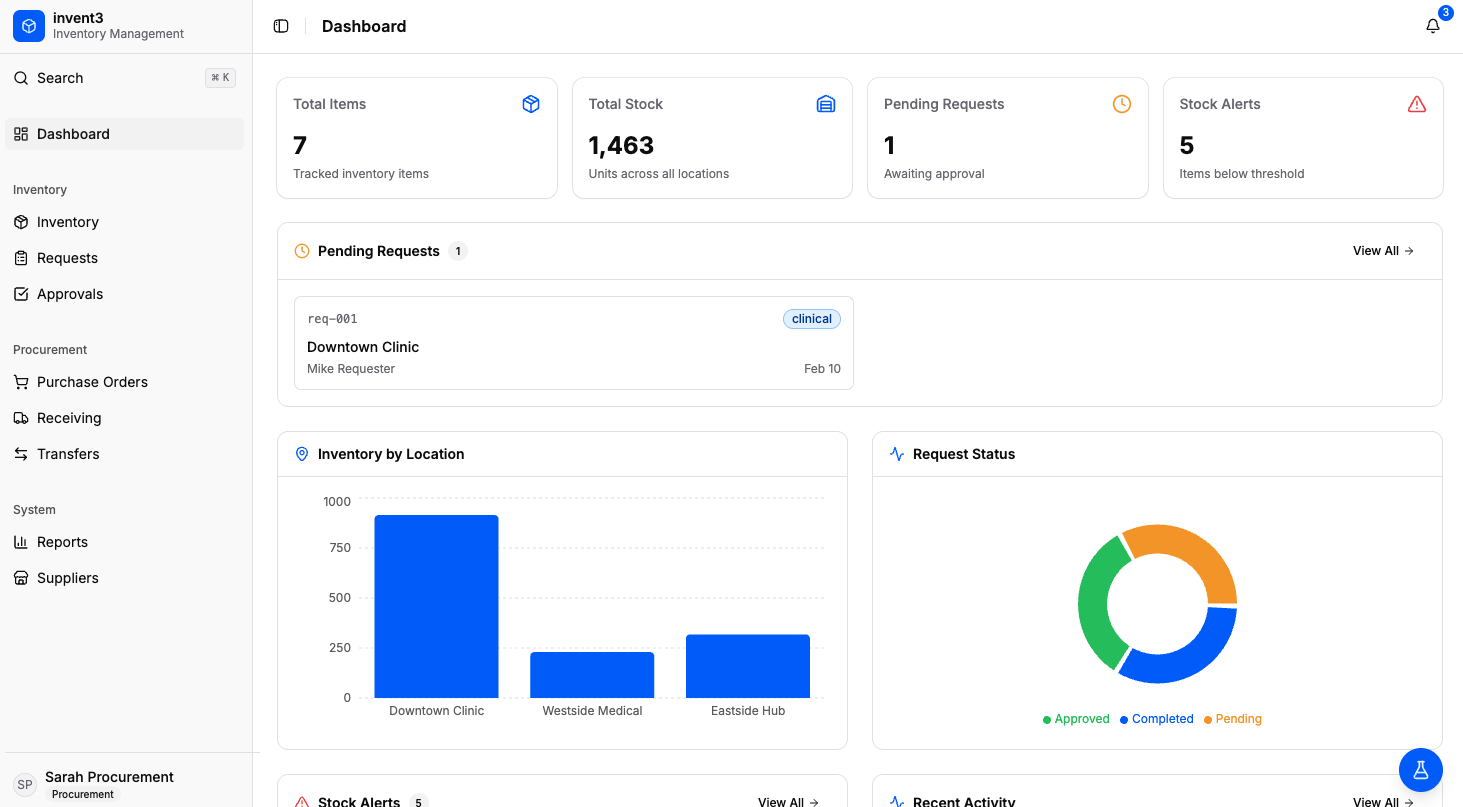
Sees every location at a glance and approves requests, so problems are spotted before they become shortages.
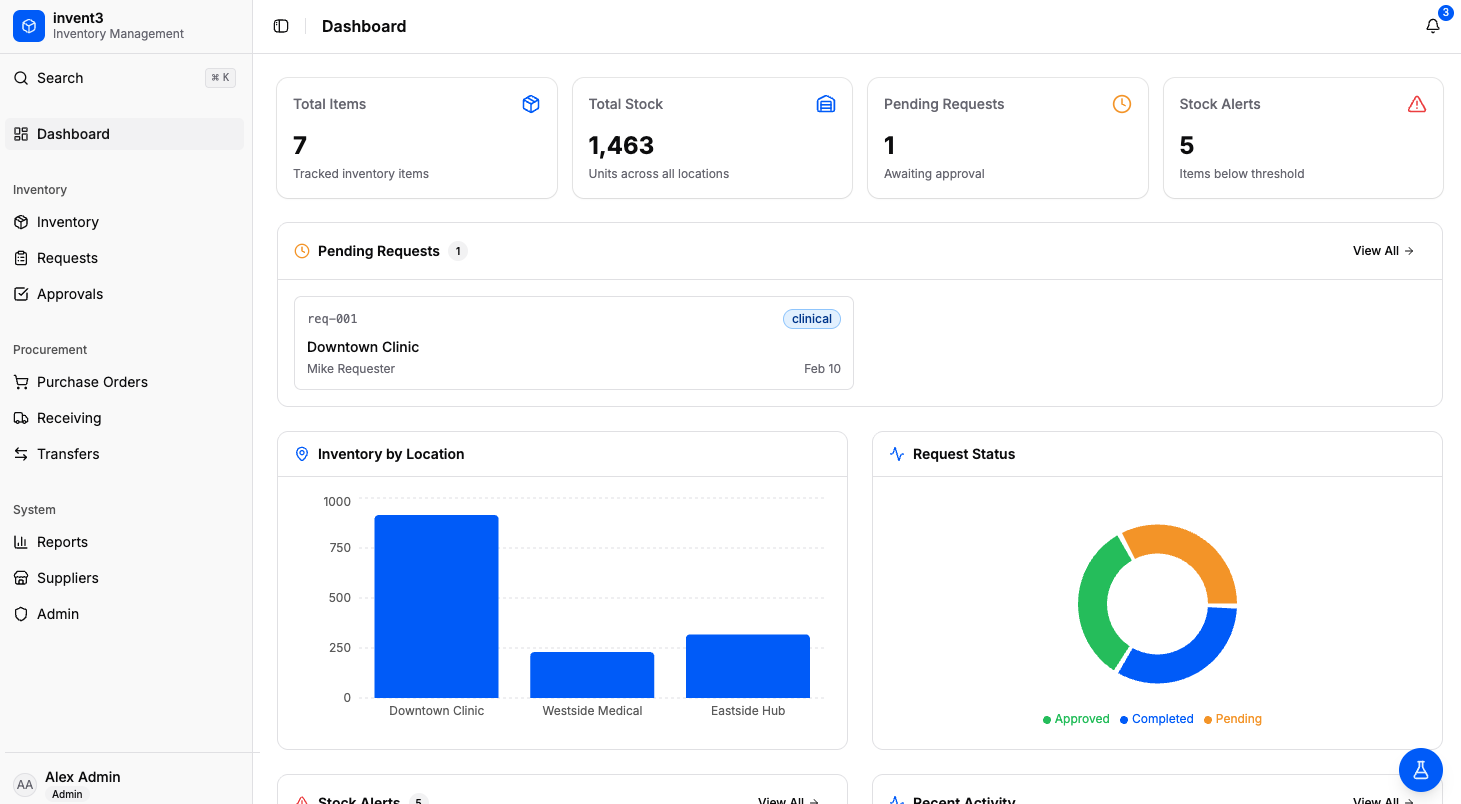
Sees what's waiting on them, and gives the final approval. No order goes out without it.
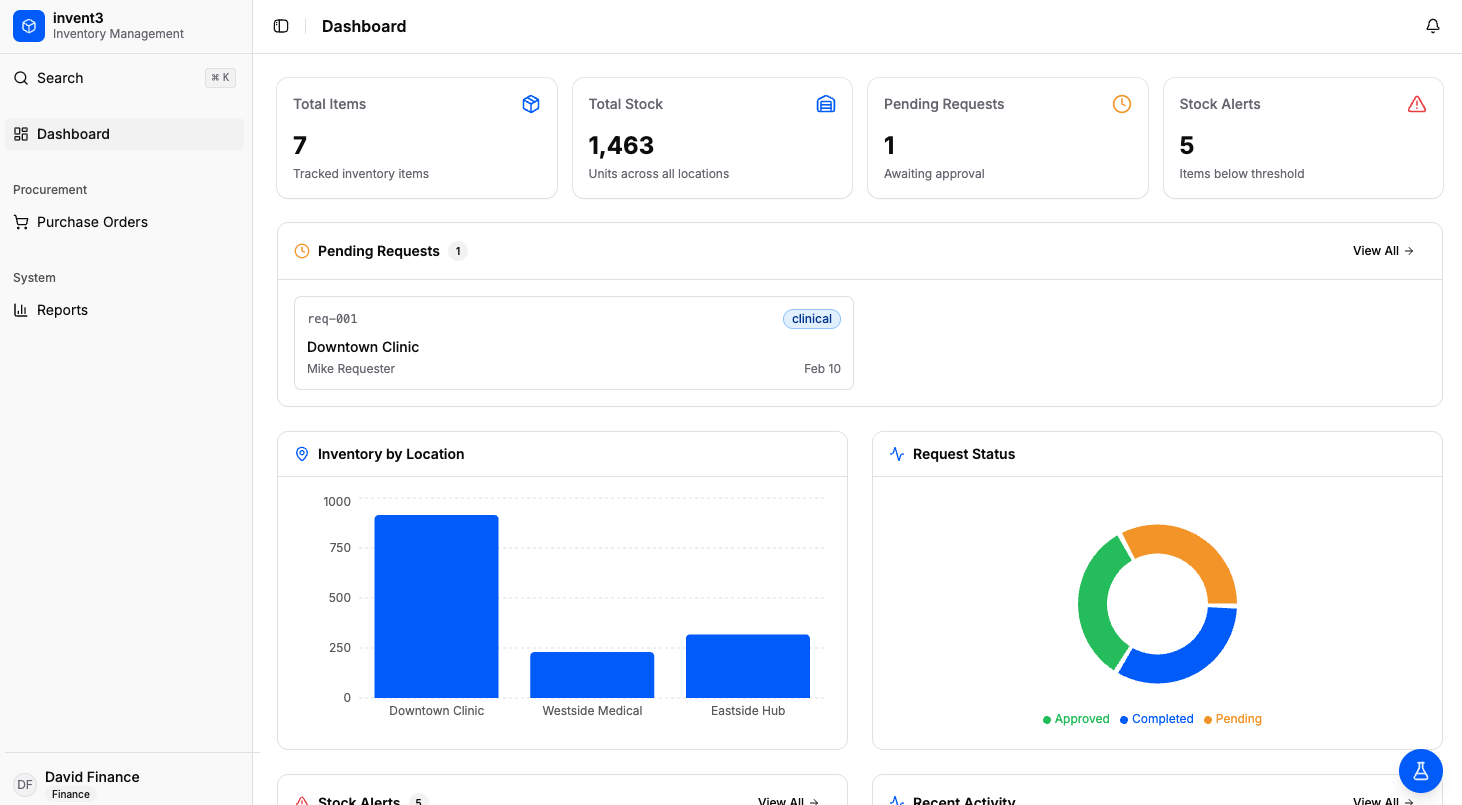
Sees why a payment is blocked. Each invoice is checked against the order and what actually arrived.
Every invoice is checked against what was ordered and what actually arrived. Here's how a mismatch looks.
The invoice is released for payment.
Payment is blocked and finance sees exactly why.
The matched amount is shown apart from the blocked amount, so you pay for what you received.
Held for the 35 not received. Finance sees why.
Everything you need to know about every supply, in every location.
Know which location has each supply right now.
See which lots expire in the next 30 days.
Out, critical and running low, most urgent first.
See which inspection failed, and where.
Who approved that order, at which level, and when.
Each person signs in and sees only what their job needs.
Move stock between locations and keep both records right.
See how much of your spend depends on each supplier.
Items used, value received, and spend by month and site.
Short reads on running supplies across more than one location.
Any business that holds inventory in one or more places, from healthcare and pharmacies to warehouses, retail, food and beverage, manufacturing, construction and hospitality.
Each person signs in and sees what matters to them. A storekeeper sees only their own location, the operations manager sees every location, the director sees what is waiting on their approval, and finance sees why a payment is blocked. Each role also has access to different areas of the system.
No. Manager approval is recorded, but an order can't be executed until the director has also approved it. Every approval is kept in an approval trail.
No. A storekeeper sees only their own location. The operations manager and the director see across locations.
Each invoice is compared with the purchase order and what actually arrived. If they don't agree, the payment is blocked and finance can see the reason, so you only pay for what you received.
The spreadsheets, emails and paper forms where supply information is scattered today.
Yes. The operations manager sees every location at a glance: what's out of stock, what's running low, and which inspection failed.
Request a demo and we will walk through InVen3 with your team and your locations.
See how InVen3 gives each person on your team the view they need.
Request a demo